
01
Bring your material
Add your notes or a PDF. Handwriting photos in the iPhone app. Give all those ideas a place to land.
A little help. A lot more understanding.
Turn your notes and PDFs into flashcards, quizzes, and conversations that help you find what to practice next.
On the web. On your iPhone. In your corner.
Think it through, then turn the card.
 No account needed for the sample
Start with what you already have. Leave with something you understand.

Add your notes or a PDF. Handwriting photos in the iPhone app. Give all those ideas a place to land.
Turn the important ideas into cards and questions. Recall, explain, and see what needs another look.
Review with spaced repetition, revisit mistakes, and build understanding one session at a time.
Active transport moves particles… but I’m not sure why it needs energy.
Think about the concentration on each side. Which way are the particles moving?

Reading it is one thing. Explaining it is another. Talk through your material with NoteFren and get follow-up questions that help you find the missing pieces.
Try talking it outA focused review, a quick game, a deeper conversation. Find your rhythm.
Photograph handwritten notes with the iPhone app and NoteFren digitizes them into formatted text and cards.
Start free
Drop in a lecture PDF or slide deck and pull the key points into flashcards.
Start free
Turn your notes into a podcast episode and keep learning while you walk, commute, or do chores.
Start freeWhen flashcards start feeling like homework, switch to a game. Same deck, same spaced repetition underneath — just a lot more fun.
Try one right now
0 of 4 matchedTap a card, then tap its match.
Make room for deeper study on the web. Keep your notes and cards close on iPhone. Your account brings your material together.
 NoteFrenFlashcards
It moves substances against their concentration gradient, from a lower concentration to a higher concentration.
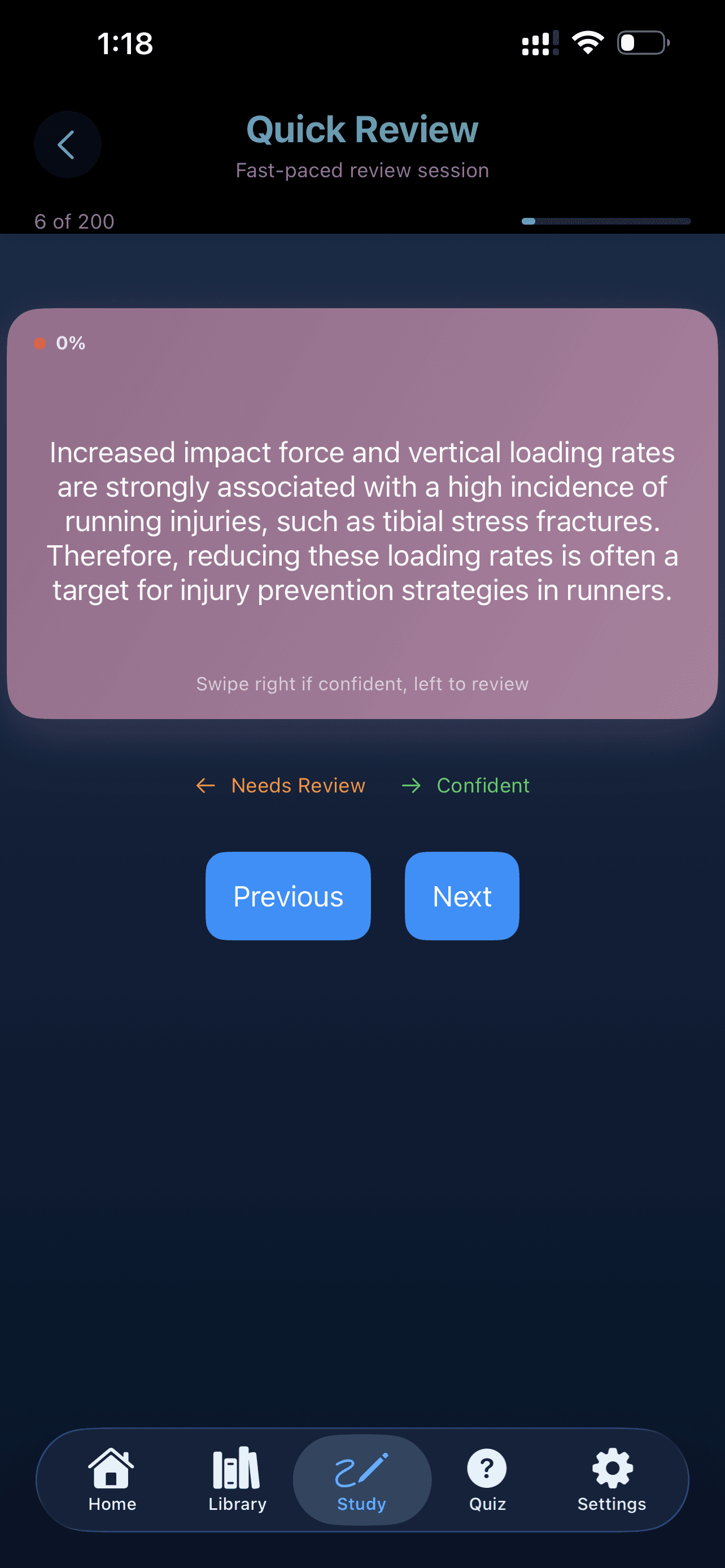
Paste your notes or upload a PDF or photo, and NoteFren reads the content, identifies the key ideas, and writes question-and-answer flashcards for you in seconds — instead of typing them by hand.
NoteFren is built around spaced repetition and active recall — two of the most well-supported techniques in learning research — so reviews are scheduled to help you remember more with less time.
Yes. It works across subjects — from biology and law to languages and history — adapting the flashcards it writes to the kind of material you give it.
No. NoteFren runs right in your browser — sign up and start creating in seconds. There's also an iOS app, and your account syncs between them.
Bring a page of notes. Take the first small step.
Start freeOn the web. On your iPhone. In your corner.
